How to install and use
Note: Mobile phones are supported with mobile Firefox (firefox store) and Kiwi browser (chrome store).
Chrome store (kiwi & opera from here): https://chromewebstore.google.com/detail/chatbot-manager/apnhcckmbmofaneogehcfnghabafpeej
Firefox store: https://addons.mozilla.org/firefox/addon/chatbot-manager/
After installing from the store, you will access the features from the extension's Pop-up menu.
Below is the natural way of accessing the pop-up menu, but you can also use the menu button embedded into websites from top right corner. That button can also be moved around by dragging.
Chrome (desktop):
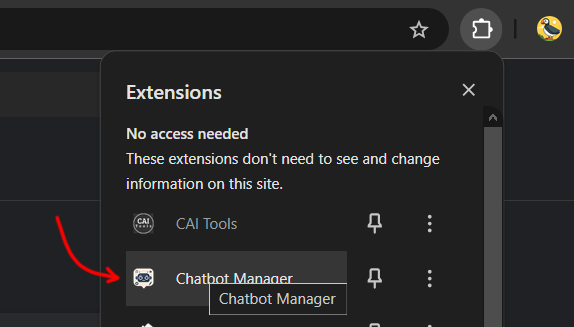
Chrome pop-up menu button
Firefox (desktop):

Firefox pop-up menu button
Kiwi browser (mobile):
Note: This opens the pop-up menu as a page.

Kiwi browser pop-up menu button
Firefox (mobile):
Note: Firefox mobile has no pop-up menu. Instead, you can access the features from the settings/options page of the extension. This will open as a page just like Kiwi browser.

Mobile firefox options page